From Idea to App Store: How to Launch Your First Mobile Startup
Learn how to transform your app idea into a successful mobile startup — from prototyping to user acquisition.


Learn how to transform your app idea into a successful mobile startup — from prototyping to user acquisition.
Despite the mobile boom, desktop applications are regaining relevance — here’s why developers are taking another look.
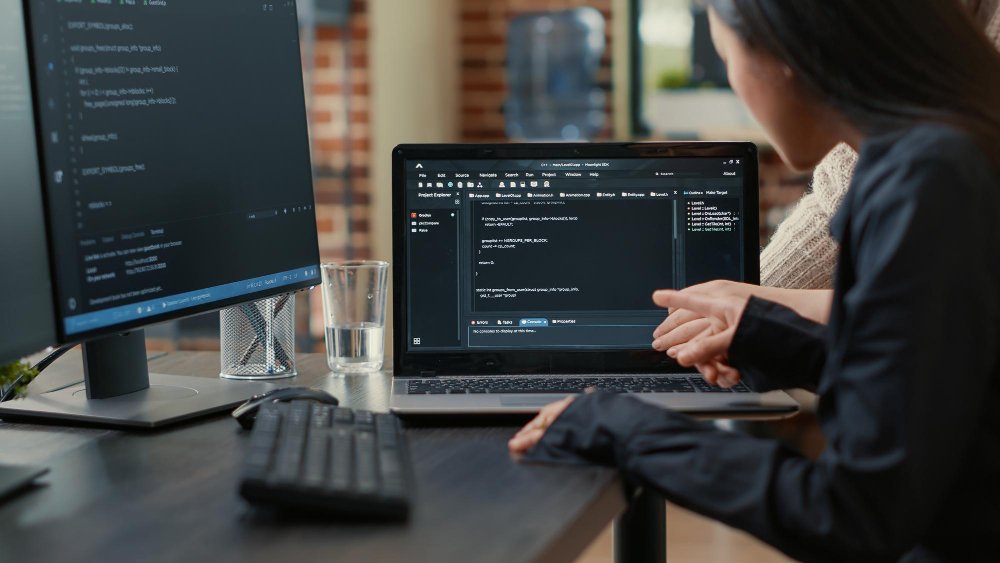
As a python programmer, you have the opportunity to register on our platform and enter into the talent pool. This talent pool is a carefully curated list of python programmers who have demonstrated exceptional programming skills and expertise in the pyhton language.
By being a part of the talent pool, you will have access to top-tier job opportunities from the world’s leading companies and startups. Our team works tirelessly to connect you with the best possible opportunities, giving you the chance to work on exciting projects and develop your skills even further.
Image by freepik
TechKluster is committed to help python developers community to achieve their career goals, our developer resource center for python provides the useful resources which not only will help you succeed at TechKluster but everywhere in your development career. For suggestions email us at python@techkluster-com-637583.hostingersite.com
Python is a popular high-level programming language that is widely used for web development, machine learning, data analysis, artificial intelligence, and scientific computing. It is a versatile language that is easy to learn and has a simple syntax. Python is also an interpreted language, which means that you can run your code as soon as you write it without the need for compiling. In this blog, we will discuss how to learn Python with code examples.
Before you start learning Python, you need to install it on your computer. You can download the latest version of Python from the official website (https://www.python.org/downloads/). Once you have installed Python, you can use a code editor or an integrated development environment (IDE) to write and run your code.
There are many code editors and IDEs available for Python, but some of the most popular ones are:
1. PyCharm
2. Visual Studio Code
3. Sublime Text
4. Atom
Python has a simple and easy-to-learn syntax, which makes it an ideal language for beginners. Here are some of the basic syntax rules of Python:
1. Python code is executed line by line.
2. The end of a line marks the end of a statement.
3. Python uses indentation to define blocks of code.
Here is an example of a simple Python program that prints "Hello, World!" to the console:
print("Hello, World!")
The print() function is used to output the text "Hello, World!" to the console. The text is enclosed in double quotes.
Variables are used to store values in Python. In Python, you don't need to declare a variable before using it. You can simply assign a value to a variable, and Python will create the variable for you. Here is an example:
x = 5
This assigns the value 5 to the variable x.
Python has several data types, including:
1. Integers - whole numbers (e.g., 5, 10, -3)
2. Floats - numbers with decimal points (e.g., 3.14, 2.0, -0.5)
3. Strings - text (e.g., "Hello, World!", "Python", "3.14")
4. Booleans - True or False
You can use the type() function to determine the data type of a variable. For example:
					x = 5print(type(x)) # output: <class 'int'>

y = 3.14print(type(y)) # output: <class 'float'>

z = "Hello, World!"print(type(z)) # output: <class 'str'>

a = Trueprint(type(a)) # output: <class 'bool'>
Python has several operators that can be used to perform arithmetic, comparison, and logical operations. Here are some examples:
					x = 5
y = 2# Arithmetic operatorsprint(x + y) # output: 7print(x - y) # output: 3print(x * y) # output: 10print(x / y) # output: 2.5print(x % y) # output: 1# Comparison operatorsprint(x > y) # output: Trueprint(x < y) # output: Falseprint(x == y) # output: Falseprint(x != y) # output: True# Logical operators
a = True
b = Falseprint(a and b) # output: Falseprint(a or b) # output
What are the key features of Python programming language?
Dynamic typing, high-level built-in data structures, dynamic semantics, and an easy-to-read syntax are some of the key features of Python.
How do you define a function in Python?
Functions in Python are defined using the "def" keyword, followed by the function name, parameters in parentheses, and a colon. The function code is indented and executed when the function is called.
					def greet(name):
  print("Hello, " + name)
Can you explain the difference between a list and a tuple in Python?
Lists are mutable, meaning their values can be changed, while tuples are immutable, meaning their values cannot be changed. Lists are defined using square brackets, while tuples are defined using parentheses.
How do you handle errors and exceptions in Python?
Python provides try-except blocks for handling exceptions. The code that might raise an exception is placed inside the "try" block, and the handling code is placed inside the "except" block.
					try:
   value = int(input("Enter a number: "))
except ValueError:
   print("Invalid input.")
How do you handle file operations in Python?
Python provides built-in functions and methods for handling file operations, such as opening, reading, writing, and closing files. The open() function is used to open a file, and the close() method is used to close a file.
Example:
					file = open("sample.txt", "r")
print(file.read())
file.close()
What is the purpose of using “else” in a for loop or while loop in Python?
The "else" statement in a for loop or while loop is executed if the loop terminates normally (i.e., not by a break statement).
Example:
					for i in range(10):
    if i == 5:
        breakelse:
    print("The loop was not broken.")
pip install flask in your terminal.app.py and add the following code:
					from flask import Flask, render_template, request

app = Flask(__name__)

@app.route('/')def index():
    return render_template('index.html')

@app.route('/submit', methods=['POST'])def submit():
    name = request.form['name']
    return render_template('submit.html', name=name)

if __name__ == '__main__':
    app.run(debug=True)
This code creates a new Flask application and defines two routes:
1. The / route, which renders an HTML template called index.html.
2. The /submit route, which handles form submissions and returns an HTML template called submit.html with the submitted data.
To create the HTML templates, create a new folder called templates in the same directory as app.py, and create two files called index.html and submit.html. Here's an example of what the templates might look like:
					<!--
<!DOCTYPE html><html><head> <title> Python Web App </title> </head><body><h2>Hello, World!</h2><form action="/submit" method="post"><label for="name">Enter your name:</label><input type="text" id="name" name="name"><button type="submit">Submit</button></form></body></html> -->
submit.html:
<!DOCTYPE html><html><head><title> Python Web App </title></head><body><h2>Thank you, {{ name }}!</h2></body></html>
These templates are simple HTML files that use Flask's templating engine to insert dynamic data. The index.html template contains a form with a text input and a submit button. When the form is submitted, the data is sent to the /submit route as a POST request. The submit.html template displays a personalized thank-you message with the submitted name.
To run the application, open a terminal and navigate to the directory containing app.py. Then run python app.py. Flask will start a development server on http://localhost:5000/. Open a web browser and go to http://localhost:5000/ to see the application in action.
That's it! This is a very basic example of a Python web application, but you can expand upon it by adding more routes, functionality, and styling.
Here are some popular website resources for Python programming:
1. Python.org: The official website for the Python programming language, providing documentation, tutorials, and other resources for learning and using Python.
2. Codecademy: An online learning platform that offers interactive Python courses and tutorials for beginners and advanced users.
3. W3Schools: A website that provides tutorials and resources for learning various programming languages, including Python.
4. Udemy: An online learning platform that offers Python courses for beginners and experts, taught by experienced instructors.
5. Coursera: An online education platform that offers Python courses from top universities and institutions, such as the University of Michigan and the University of Texas.
6. YouTube: A video-sharing platform that provides Python tutorials and other resources from experienced Python developers and instructors.
7. HackerRank: A platform that provides coding challenges and competitions, including Python challenges and contests.
8. GitHub: A platform for hosting and sharing open-source software projects, including Python projects.
9. Real Python: A website that provides Python tutorials, courses, and other resources for learning Python programming.
These resources can help you learn and master Python programming, whether you are a beginner or an experienced developer.